Twisted Party Corrigir problemas de conexão
Telas pretas, freezes de lobby e esperas de disconnect
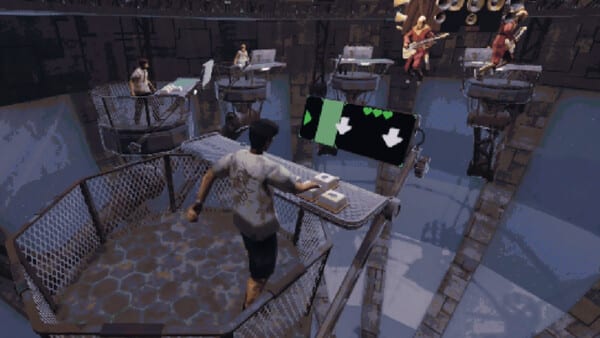
Twisted Party é um todos-contra-todos online. Quando quebra, costuma ser enquanto um lobby nasce, um lugar carrega ou o Car Mode espera um empurrão. O único changelog oficial que a Vampire Squid publicou antes do launch é o post de Steam News de 22 de julho de 2026 chamado «The patch is here!». Use esta lista antes de reinstalar o Windows. Em 28 de agosto de 2026 não há página de patches numerados pós-launch além de trabalho de estabilidade da semana de saída.
Tela preta durante a inicialização da partida
O patch de playtest corrigiu uma tela preta quando um jogador desconectava durante a init do match. Se o grupo ainda vê um frame preto depois de Alt-Tab na contagem, trate como a mesma família de bugs: parar o match, sair do cliente por completo, verificar arquivos na Steam, recriar um lobby privado. Não fique no escuro esperando o próximo jogo da roleta pintar.
Software de overlay pode parecer idêntico. Desligue overlay da Steam e do Discord uma vez se a tela preta chegar antes de mais alguém entrar. Ligue de novo depois se a noite estiver estável. As notas falam de disconnects durante init, não de cada OLED que fica escuro para sempre.
Muita gente saindo
Partidas devem abortar e reiniciar quando saem jogadores demais. Se três de vocês olham um HUD fantasma de oito, a lógica de restart falhou. O host recria. O resto digita o código de novo. Não fiquem na fila de um lobby cadáver.
Freeze de lobby esperando um empurrão
Car Mode é por turnos. O jogo espera ações como força de empurrão. O patch de julho corta essa espera no disconnect para a partida não congelar. Se o Bumper Car ainda trava depois de um drop, vocês estão no caso residual: sair, Steam de novo, código novo. Leia Car Mode para o grupo parar de chamar isso de dessinc de direção.
Freeze ao mudar de lugar
O carregamento de cena, segundo o texto oficial, não congela mais quando a conexão cai na troca de lugar. Se a cápsula de voto ou a próxima arena de Blindshot nunca aparece, assuma um drop no meio do load. Restart completo do cliente ganha de martelar Esc. Esc continua sendo pausa; não é botão de reconexão.
O vencedor anterior saiu do lobby
Um crash quando o vencedor do minigame anterior ia embora antes do próximo foi patchado. Se um caçador Cultist ragequita no pódio e a sala morre mesmo assim, recrie. Peça ao grupo que fique para as danças do Partyman; o primeiro lugar que sai cedo é como vocês reencontram rotas antigas de crash.
Tentativas extra do Music Hero
Cliques repetidos depois de erro ou seta cancelada não descontam mais tentativas extra. Se o Music Hero ainda pune mash, vocês estão num build velho ou clicando um estado de falha. Verifiquem arquivos. Isso entra na página de rede porque veio no mesmo pacote «patch is here», junto de tweaks de emote, lógica de morte do Car Mode, telas de vencedor, tutorial e sync de lobby.
O que esta página não promete
Não há seletor de região. Não há display de ping. Broadband está nos requisitos do sistema por um motivo. NATs de universidade e VPNs ainda comem UDP. Códigos privados ganham do matchmaking público se a população estiver fina. Steam Cloud não conserta um host congelado.
Se nenhum item do patch encaixar, escreva para mike.raw915@gmail.com com OS, GPU e se a falha foi preto de init, load de lugar ou espera de Car Mode. O Discord é a sala mais rápida para «está down hoje?». Depois voltem para como jogar quando o código funcionar.
Perguntas frequentes
Respostas rápidas para as perguntas mais comuns.
Qual patch oficial eu olho?
O post de notícias do playtest de 22 de julho de 2026 «The patch is here!» é o changelog documentado. Em 28 de agosto de 2026 não há lista de patches numerados pós-launch além de estabilidade da semana de saída.
Reinstalo o Windows se a tela ficar preta?
Não. Primeiro saia do cliente, verifique arquivos, recrie lobby privado. O patch de julho mira disconnect durante init, não reinstalar GPU.
Por que o Car Mode congela?
O jogo espera cada empurrão. Builds mais velhos congelavam se alguém desconectava nessa espera. O patch de julho corta a espera.