Twisted Party The Complete Guide Library
From your first lobby to last one standing
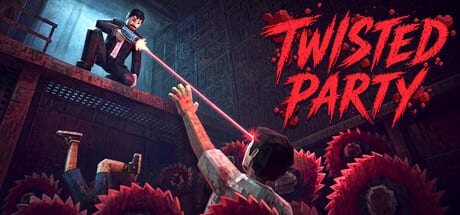
This Guides Hub is the written map for Twisted Party on Steam. Vampire Squid shipped a small free-for-all party game on 25 August 2026. The loop is short: join 2–8 people, spin five wheel mini-games, survive mid-round waiting, and chase eight achievement skins. These pages exist so you do not learn that the hard way from a frozen lobby or a fake wiki list of challenges that are not in the build.
Start with How to Play if you have not finished a full night. It covers the real session loop, the 2–4 player mode added during the delay from 20 August, Steam Cloud, and why packed rooms often spectate while a subset plays. Pair it with the Mini-Games Hub so the wheel names — Blindshot, Dynamite, Braincrab, Music Hero, Bumper Car — stick before the first match.
Setup pages
The Controls page lists only the defaults we can stand behind: WASD, Shift, E, Space, and Escape, plus Steam Input for remaps. It also flags the dance emote used for Partyman, the click-heavy Music Hero round, and the turn-based push in Car Mode. Do not expect a hidden keybind encyclopedia; the game does not publish a full chart.
System Requirements reprints the official Steam specs. Windows 10 with an Intel Core i3, 2 GB RAM, a modern dedicated Vulkan GPU, broadband, and 500 MB is the floor. Recommended is Core i5, 4 GB RAM, and the same Vulkan class. macOS needs Apple Silicon M1 or newer on macOS 15 with 8 GB RAM and 1 GB storage. Intel Macs are out. Linux is out.
How to Host is the private-code walkthrough: 2–4 versus a full eight, no custom mini-game vote yet, and why friends keep asking for one. Fix Connection Issues maps black screens and lobby freezes to the 22 July 2026 playtest patch instead of folklore GPU curses.
After you can load a match
The Review page is a fair read of Mixed Steam feedback at about 67% of 168 reviews as of 28 August 2026. It talks about thin content, turn-based bumper cars, lobby exclusion, and Machine Party comparisons without turning into a hit piece. How to Win stays on the five real wheel games and the voting capsule. It does not invent extra wheel games.
The FAQ collects search questions: codes, teammate tags, Steam Deck, Mac, price, and skins. Platforms reprints Windows Vulkan, Apple Silicon, and the honest Steam Deck gap.
Where the rest of the wiki sits
Skins live under the Skins Hub with the unlock guide and Supporter Pack. Session helpers sit in Tools — Skin Tracker and Party Planner. Patch history is in Updates, starting with launch day and the documented playtest changelog. Community links are on the Community Hub.
If you only open one child tonight, open How to Play, then Blindshot, then the connection guide. That order matches how most launch-week nights actually fail: people misunderstand the wheel, then a disconnect paints the screen black, then the group blames the host. These articles exist to shorten that argument.
Frequently Asked Questions
Quick answers to the most common questions.
Where should a new player start?
Read How to Play, then Controls, then System Requirements. Host with a private code if you have friends; use Fix Connection if someone black-screens during match start.
Does this hub cover teammate tactics?
No. Twisted Party is last one standing. The 2–4 player mode is still a free-for-all with a smaller room.
Are the mini-game pages part of Guides?
The five wheel write-ups live under the Mini-Games Hub so the nav dropdown stays at eight guide items. This hub still links them because you need the names before you host.