Twisted Party Party Planner
How many people, which code, what to warn them about
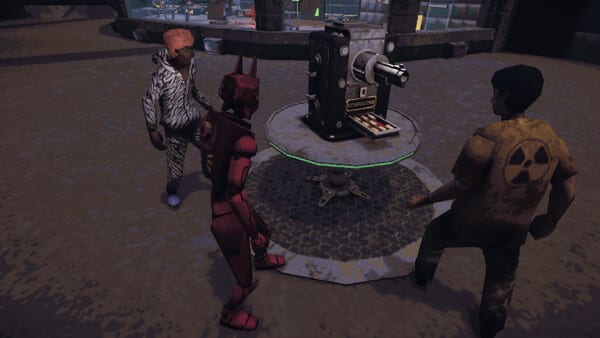
Twisted Party is a 2–8 player free-for-all. The 2–4 player mode shipped because the 20 August 2026 date slipped to 25 August so Vampire Squid could make small groups viable. It is still last one standing. Use this planner to pick a headcount before you paste an invite code.
2–4 — comfortable
Two, three, or four friends can start without padding the room with strangers. Mid-round blackjack and roulette are less likely to strand half the Discord channel in spectator. Music Hero is still a click song. Car Mode is still a push. You simply spend more of the night actually in the wheel. This is the mode the delay was for. Host steps: How to Host.
Two players is legal and lonely. The social joke needs at least three voices. Four is the top of the “comfortable” band.
4–6 — sweet spot
Most groups should aim here. Enough bodies for Blindshot bumping and braincrab tags. Not so many that the capsule constantly picks three of five and benches the rest. Cultist farmers still get real finals. Sadman still happens because people die. You can fill this from one friend group plus a plus-one.
8 — chaos, with an exclusion warning
A full eight is the Steam box-art fantasy. It is also where reviewers complain about watching. Packed lobbies often only select a subset for mid-round. Three of five playing while others sit is a documented pattern, not a one-star myth. Warn the group before they buy snacks. Freelancer still needs capsule deaths, which you cannot farm from the bench.
Eight also stresses init and location loads. Black screens and “too many left, please restart” showed up in the 22 July 2026 playtest notes. Have the connection guide ready.
What you still cannot plan
You cannot vote the five wheel games. Players want that. It is not shipped. You cannot promise Machine Party’s roster. You cannot add Linux or Intel Macs. You cannot disable Music Hero. You can pick private versus public, 2–4 versus larger, and whether tonight is a skin farm or a serious Cultist night.
Pre-flight checklist
- Specs: Windows 10 Vulkan or macOS 15 Apple Silicon — system requirements.
- One host, one private code, code not posted publicly.
- Voice chat in the official Discord or your own call.
- One sentence: no teammates, five wheel games, capsule might bench you.
- Skin goals on the tracker if anyone still needs Nimble One or Partyman.
If half the RSVPs flake, drop to 2–4 mode instead of grabbing random public players who will leave during Car Mode’s push wait. A smaller honest room beats an eight-player screenshot that spends the night spectating roulette.
Agree in voice whether tonight is a Chubby gift, a Nimble One farm, or a Cultist grind. Those goals fight each other. Dynamite ping is worse across continents, so a regional host matters more than a pretty eight-player screenshot. Bind dance in Steam Input before the first podium if anyone still needs Partyman. After the night, tick the Skin Tracker so Scientist tags do not live only in someone’s memory. Then stop planning and actually survive Blindshot.
Frequently Asked Questions
Quick answers to the most common questions.
Is 2–4 player mode a teammate playlist?
No. It is a smaller free-for-all added in the delay to 25 August 2026.
Why warn people about eight-player rooms?
Full lobbies often only send a subset into mid-round games. Reviewers describe cases like three of five playing while the rest watch.
What size should I pick for a first night?
Four to six if you can fill it. Use 2–4 if that is who actually owns the game.